Switching from Substack to Postion: A 5-Step Migration Guide
Ready to leave Substack's 10% fee behind but worried about the hassle? This simple 5-step guide shows you how to migrate from Substack, moving your content and subscribers to Postion seamlessly.

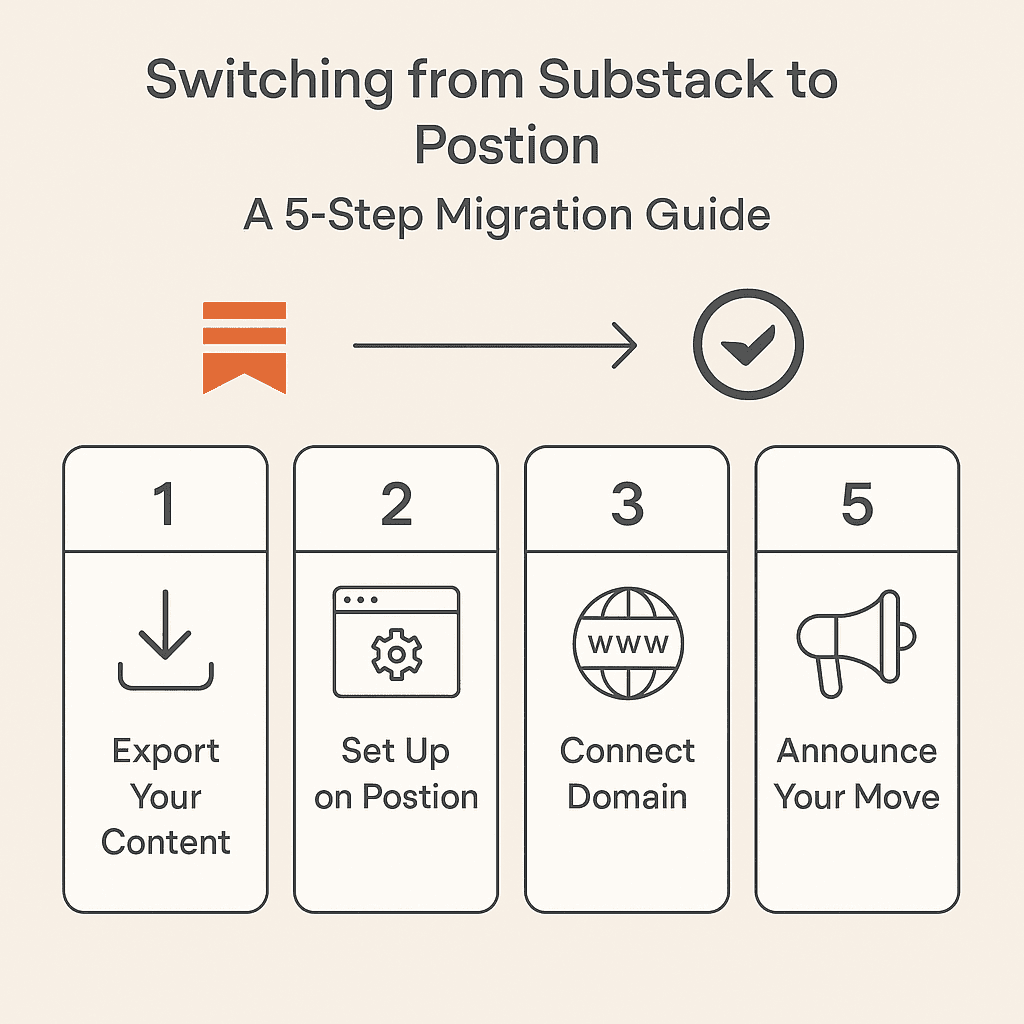
You've done the math. You realize that Substack's 10% fee is costing you more than you think. You're ready for more control, better SEO, and a platform that doesn't penalize your growth. You've decided it's time for a Substack alternative.
But now comes the question that stops so many creators: "Is it hard to leave Substack?"
The fear is understandable. You worry about losing content or messing up your subscriber list. We're here to tell you: it's not. This is your complete 5-step guide on how to migrate from Substack to Postion.
Step 1: Export Your Content & Subscribers from Substack
First, you need to package up your most valuable assets. This is the core of how you export from Substack.
- Go to your Substack Dashboard and navigate to the Settings page.
- Scroll down to the "Exports" section.
- Click to export your posts (this gives you a zip file).
- Click to export your subscribers (this gives you a CSV file). This is your single most valuable asset.
Congratulations. You now hold the keys to your business.
Step 2: Set Up Your New Home on Postion
This isn't about building from scratch; it's about importing and arranging your furniture.
- Sign up for your Postion account.
- Create your site, then open Posts → Import in its dashboard.
- Choose Substack and upload the content zip file you just downloaded.
- Our importer will automatically parse the files, pull in your posts, and preserve your formatting. This is the first step to importing your Substack to Postion.
Step 3: Connect Your Custom Domain
This is the step that makes you a true owner. This is critical, as a custom domain is vital for long-term SEO success. Custom domains need a paid plan (Launch or Pro).
While this sounds technical, it's just a matter of copying and pasting a few records into your domain registrar (like GoDaddy or Namecheap).
- In your Postion settings, go to the "Domain" section and enter your custom domain name.
- We will provide you with a few simple records to copy.
- Log in to your domain registrar and paste these records into your DNS settings.
- Our platform will automatically detect the changes and secure your site with an SSL certificate.
Need help? Our support team can walk you through this process step-by-step.
Step 4: Import Your Substack Subscribers (Safely)
Now it's time to bring your community over.
- In your site dashboard, go to Newsletter → Subscribers and open the CSV import.
- Upload the CSV file for Substack export subscribers that you downloaded in Step 1.
- They are imported as email subscribers. Paid Substack subscriptions don't transfer, so ask paying readers to resubscribe to your new plans. We do not email them upon import, so you can plan your announcement perfectly. Sending to them needs a paid plan that covers your list size.
Pro-Tip: This is a great opportunity to clean your list before you upload it.
Step 5: Flip the Switch & Announce Your Move
This is the final step in switching from Substack.
- Set up redirects: In your Substack settings, you can now set up a Substack redirect to your new domain. This ensures any lingering traffic automatically finds its way to your new home.
- Cancel your Stripe connection on Substack: This prevents any future billing through their system.
- Write your "Welcome Home" post: Publish your first post on Postion! Announce the move to your audience and celebrate this new chapter.
That's it. In five manageable steps, you've completed your migration from Substack. You've moved from being a renter to being the owner of a powerful, independent publication.
Still weighing your options? For a bird's-eye view of all the best Substack alternatives, check out our definitive pillar page, The Great Migration: Choosing the Best Creator Platform.
Topic Hub
Explore the Platform Comparisons Hub
Comparison pages for creators evaluating Substack, Ghost, WordPress, Beehiiv, Medium, and other ownership-first publishing stacks.
Keep Exploring
Related Reads
More posts connected to this topic cluster and reading path.
Why Your Newsletter Archives Are Invisible to Google (And How to Fix It)
Is your newsletter SEO strategy non-existent? Learn why most email platforms hurt your search rankings and how to turn your newsletter archives into a powerful SEO asset that drives organic traffic.
Substack Fees Explained: Why the 10% Platform Fee is a Scaling Trap
That 10% Substack fee feels simple, but it's a scaling trap. Discover the hidden costs of creator platform fees and how they limit your growth. We break down the math on Substack pricing.
What is Postion? The All-in-One Creator Platform (A Substack & Ghost Alternative)
Discover Postion, the ultimate Substack and Ghost alternative. An all-in-one creator platform with powerful SEO, low fees, and true ownership for creators who want to find the best creator platform to grow and monetize.