Postion
  • 社区动态
  • 定价标准
控制台
登录账号
Discord

基础入门

总览介绍为什么选择 Postion?核心概念快速入门指南搬家与迁移控制台指南新用户必看如何赚钱

创作者专区

站点管理写作与编辑Postion 编辑器品牌与定制化界面风格指南SEO 搜索引擎优化社交分发工作流模板市场商业化变现内容访问与定价订阅模式Stripe 支付接入其他收入来源提现与手续费数据分析高级数据分析邮件营销推荐返利机制导出数据CRM 粉丝管理CRM 标签指南CRM 客户分群

共建社区

社区准则早期采纳者红利如何参与

技术开发支持

平台架构Postion 底层原理绑定自定义域名Webhooks 钩子公开 API 接口文档存储限制与配额

其他

常见问题解答疑难解答与排错
文档
Webhooks Documentation

Webhooks Documentation

Unlock powerful automations for your content platform. Learn how to use Webhooks to receive real-time HTTP requests for events like new sales or signups.

Overview

Webhooks allow you to receive HTTP requests related to your content platform. When specific events occur (like a new post being created or published), we'll send a POST request to your configured endpoint with details about the event.

Webhooks

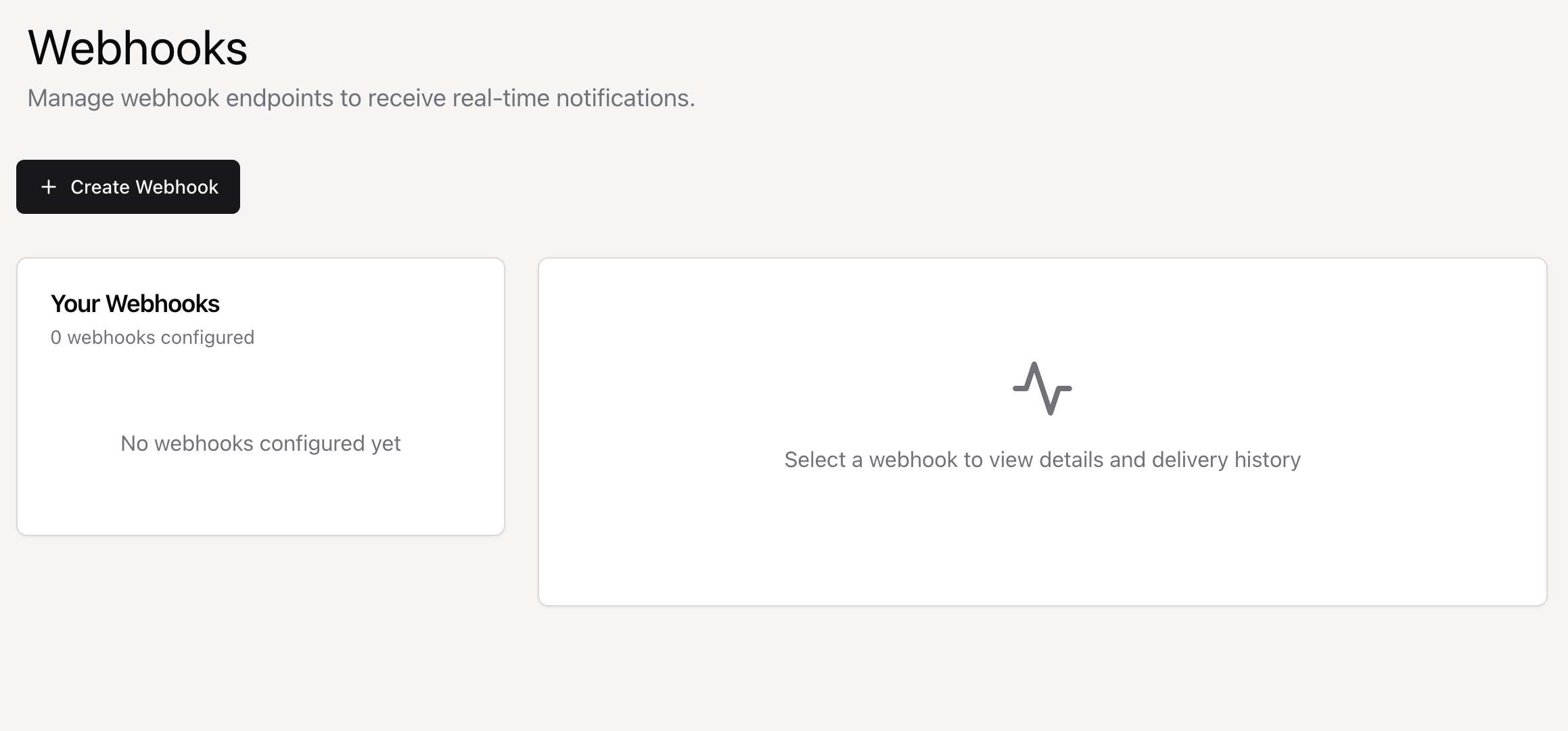
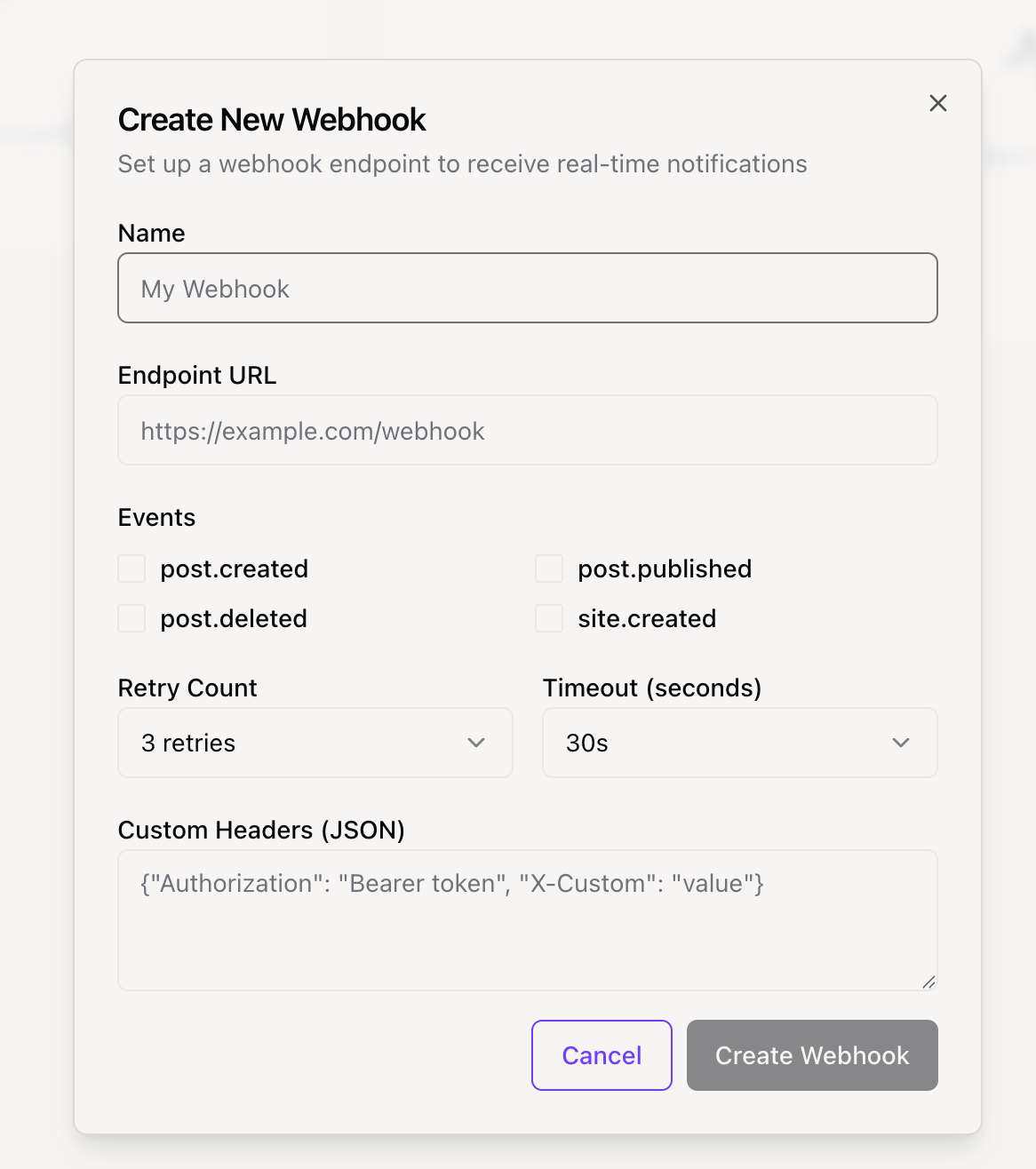
Getting Started: Create a webhook in your dashboard, select the events you want to listen for, and provide your endpoint URL. We'll start sending events immediately.

Create Webhook

Available Events

There are currently WEBHOOK_EVENTS events you can listen to. Below are the details for each event and an example of its data payload.

export const WEBHOOK_EVENTS = {
  // Post events
  POST_CREATED: "post.created",
  POST_PUBLISHED: "post.published",
  POST_DELETED: "post.deleted",
 
  // Site events
  SITE_CREATED: "site.created",
 
  // Subscription events
  SUBSCRIPTION_CREATED: "subscription.created",
  SUBSCRIPTION_CANCELLED: "subscription.cancelled",
 
  TEST: "test.event",
} as const

Signature Verification

To ensure security, you should always verify that webhook requests are actually from our platform. We send a signature with each request that you can use for verification.

Signature Header

We send the signature in the X-Webhook-Signature header. The signature is a HMAC-SHA256 hash of the raw request body, created using your webhook's secret key.

X-Webhook-Signature: a1b2c3d4e5f6...

Verification Process

  1. Retrieve your webhook's secret key from your dashboard.
  2. Compute a HMAC-SHA256 hash from the raw request body using your secret key.
  3. Compare the hash you computed with the signature from the X-Webhook-Signature header.
  4. Use a timing-safe comparison function to prevent timing attacks.

Implementation Examples

Here are some code examples for handling and verifying webhooks in different programming languages.

const crypto = require('crypto');
const express = require('express');
const app = express();
 
app.use(express.json());
 
// Your webhook secret from the dashboard
const WEBHOOK_SECRET = 'your_webhook_secret_here';
 
function verifySignature(payload, signature) {
  const expectedSignature = crypto
    .createHmac('sha256', WEBHOOK_SECRET)
    .update(payload)
    .digest('hex');
  
  return crypto.timingSafeEqual(
    Buffer.from(signature, 'hex'),
    Buffer.from(expectedSignature, 'hex')
  );
}
 
app.post('/webhook', (req, res) => {
  const signature = req.headers['x-webhook-signature'];
  const payload = JSON.stringify(req.body);
  
  if (!verifySignature(payload, signature)) {
    return res.status(401).send('Invalid signature');
  }
  
  const { event } = req.body;
  
  switch (event.type) {
    case 'post.created':
      console.log('New post created:', event.data.title);
      break;
    // ... handle other events
    default:
      console.log('Unhandled event:', event.type);
  }
  
  res.status(200).send('OK');
});
 
app.listen(3000, () => {
  console.log('Webhook server running on port 3000');
});

Payload Structure

All webhook payloads follow a standard JSON structure.

Standard Payload

The root object contains details about the delivery, the event itself, and the webhook that triggered it.

{
  "id": "delivery-uuid",
  "event": {
    "type": "post.created",
    "data": {
      "id": "post_123",
      "title": "My New Post",
      "...": "event-specific data"
    },
    "timestamp": "2024-01-15T10:30:00Z",
    "site_id": "site_789",
    "user_id": "user_456"
  },
  "webhook": {
    "id": "webhook_abc",
    "name": "My Webhook"
  }
}

Headers

Each webhook request includes these standard HTTP headers:

  • Content-Type: application/json
  • X-Webhook-Signature: [signature]
  • X-Webhook-Event: [event.type]
  • X-Webhook-Delivery: [delivery.id]
  • User-Agent: Position-Webhooks/1.0

Best Practices

Follow these best practices to ensure your webhook integration is secure, reliable, and performant.

Security

  • Always verify the webhook signature. This is critical to ensure the request is from a trusted source.
  • Use HTTPS endpoints to protect data in transit.
  • Keep your webhook secret secure and consider rotating it regularly.

Reliability

  • Your endpoint must respond with a HTTP 200 status code to acknowledge successful receipt. Any other status code will be considered a failure.
  • Design your endpoint to be idempotent. Use the X-Webhook-Delivery ID to detect and handle duplicate events.
  • For time-consuming tasks, use a queueing system. Acknowledge the webhook immediately (with a 200 response) and process the task in the background.

Performance

Respond to webhook requests as quickly as possible, ideally within a few seconds. We will time out requests after 30 seconds. Monitor your endpoint's performance and uptime to catch issues before they impact your service.

上一页绑定自定...
下一页公开 API ...
Postion

写下专属于你的篇章

TwitterGitHubDiscordDiscordInstagram

探索

  • 控制台
  • 社区
  • 价格
  • 帮助文档
  • 常见问题

公司

  • 更新日志
  • 开发路线图
  • 联系我们
  • 加入我们
  • 官方博客

资源

  • 邀请机制
  • 快速入门
  • 什么是 Postion
  • 控制台指南
  • 公开 API 指南

支持与服务

  • 关于 Postion
  • 加入 Discord
  • BuouUI 项目
  • 站点地图
  • 博客 RSS

© Postion 2026 — BuouTech Inc.

版本说明无障碍隐私政策服务条款